for the HeadRush Prime and Core
Ten more apps for a pedal that already has plenty.
HackRush is extra software for your HeadRush Prime or Core. It installs beside
the pedal's own firmware, leaves it alone, and serves every app as a web
page on your phone: a pitch shifter that goes in front of the amp, a gig
recorder that can re-amp, samples under your feet, backing tracks, a MIDI
foot controller, the pedal's screen in your browser, a spectrum analyser,
a pitch detector, a synth, and a scope with meters.
The Prime turned out to be open enough to build on without breaking
anything, and that is the only reason this exists. Nothing is patched,
nothing is jailbroken, and nothing is permanent: one button puts the
pedal back to stock.
It ships as a stealth beta - written by one person, tested on one Prime
and, since September 2026, one Core, careful about the ways it could hurt
a pedal without promising that it cannot. Anyone brave enough to run it
has our thanks, and our full attention the moment something breaks.
On a Core the same installer and the same updates apply, and
three things differ. A Core announces a rig by its switch LEDs and its
screen rather than by display strips, and the rig recall behind the
sample banks, the songs and the pitch presets reads both; it is built
and has not yet been watched working on a Core. There is no tempo lamp
to read, so BackLine plays at the tempo you tap in on a switch. And the
Core has no expression pedal on the panel, so FootLoose drives an
external one only. Five footswitches instead of twelve, and every page
draws five.
Chromium or Edge · about a minute · erases your presets
the idea
The features a pedal company would have to turn down.
Every player has a list of things their modeller almost does. Most of
them never ship, and usually for fair reasons: too niche, too
complicated, too expensive, too risky to put a warranty behind. None of
that weight is ours, so we build them anyway.
Some turn out to be genuinely useful. Some are curiosities, and one or
two are frankly goofy. That is allowed. HackRush is a playground, and
hack here means what it meant first - playful cleverness, finding
out whether a thing can be done - and not breaking into anything.
The aim is more than a proof of concept: apps you would actually take to
a gig. There is only so much testing and polishing one person can do,
though, so expect UI glitches, bugs and rough edges. We will keep pushing
until we run out of steam or processing power. ;-)
design principles
- Non-intrusive
- The pedal's own firmware is left alone. HackRush installs beside
it, adds nothing to your rigs, and every app stays switched off
until you switch it on.
- Modular
- Ten separate apps, not one big one. Run the two you want; the
rest are not running and cost you nothing.
- Interconnected
- They talk to each other. A backing track can fire a sampler pad, a
footswitch can play the synth, and a note you played can become MIDI
for any of them.
- Powerful
- Made for power users. If a thing has a setting, you get the
setting - and an honest note about what it costs.
- Explorative
- Meters, spectra, note readouts, logs. The pedal is made to show
its working, because half the fun is watching what it is actually
doing.
general features
Its own access point
No venue wifi needed: the pedal can serve a network of its own,
password on its screen at boot. On AUTO it comes up whenever the
pedal has no wifi and steps aside when it has. It reaches the
pedal and nothing else - there is no internet through it.
SSH access
Paste your public key into the launcher and log in as root - it
is your pedal, so you get the whole box. Works over wifi, over
the access point, or over the USB-B cable, which carries a small
network of its own whenever MIDI is not using the port.
in every app
The resource meter
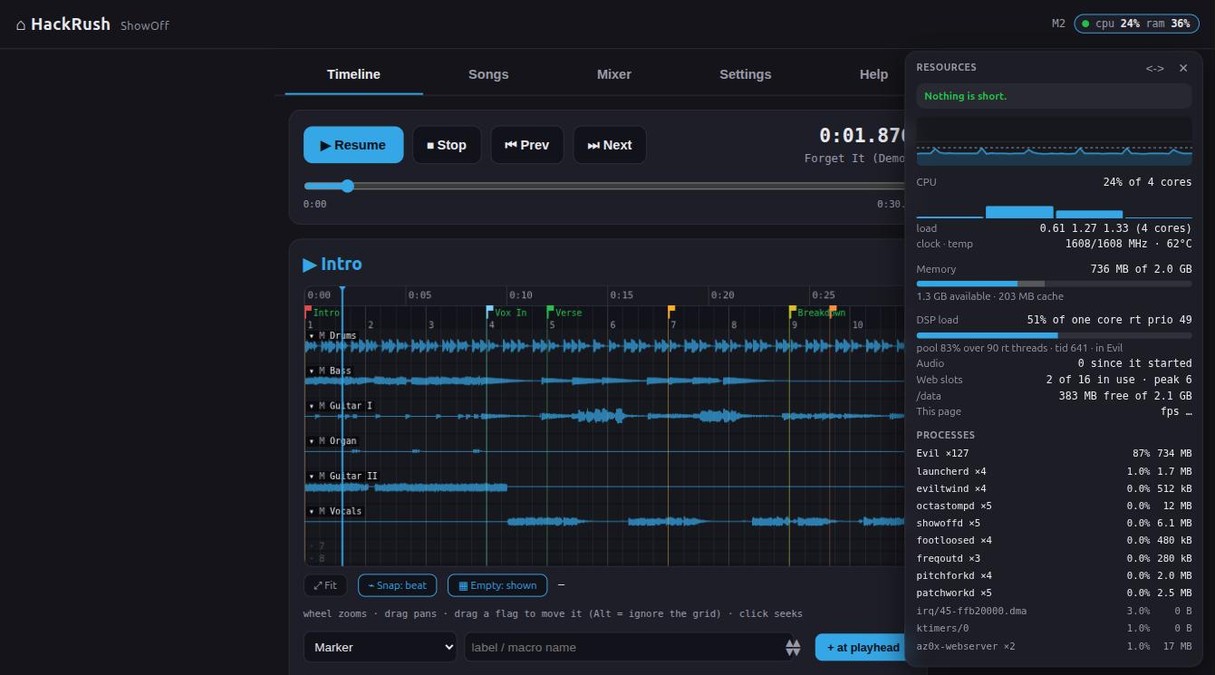
Four cores run the pedal's own software, our daemons, an access point
and a web server, and everything that goes wrong on stage looks the
same from the outside: the mirror stutters, a pad is late, the
spectrum draws a gap. So every app's header carries a chip with the
numbers, and a tap opens a translucent panel you can leave over
whatever you are doing - per-core bars, memory, temperature, a minute
of history and what is using it. The one that actually predicts a
dropout is on there too: the pedal's real-time audio thread against
the millisecond it has to finish in. Now you can find out that
uploading a WAV while mirroring the screen is too much, without
finding out during a song.
the resource meter, open over ShowOff
the apps
Ten of them. Switch off the ones you don't want.
home
The launcher
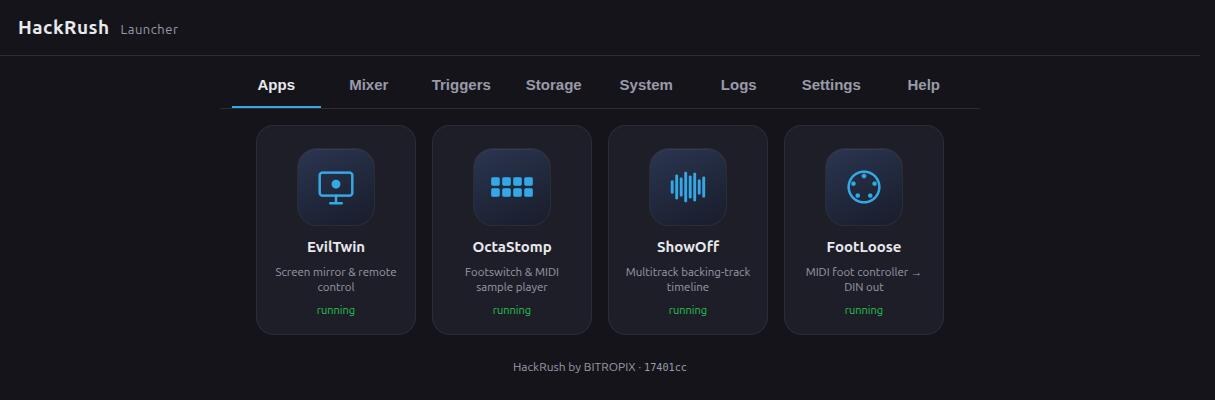
Everything opens from here, and anything you switch off stops running
and costs you nothing.
launcher
new
GainStage
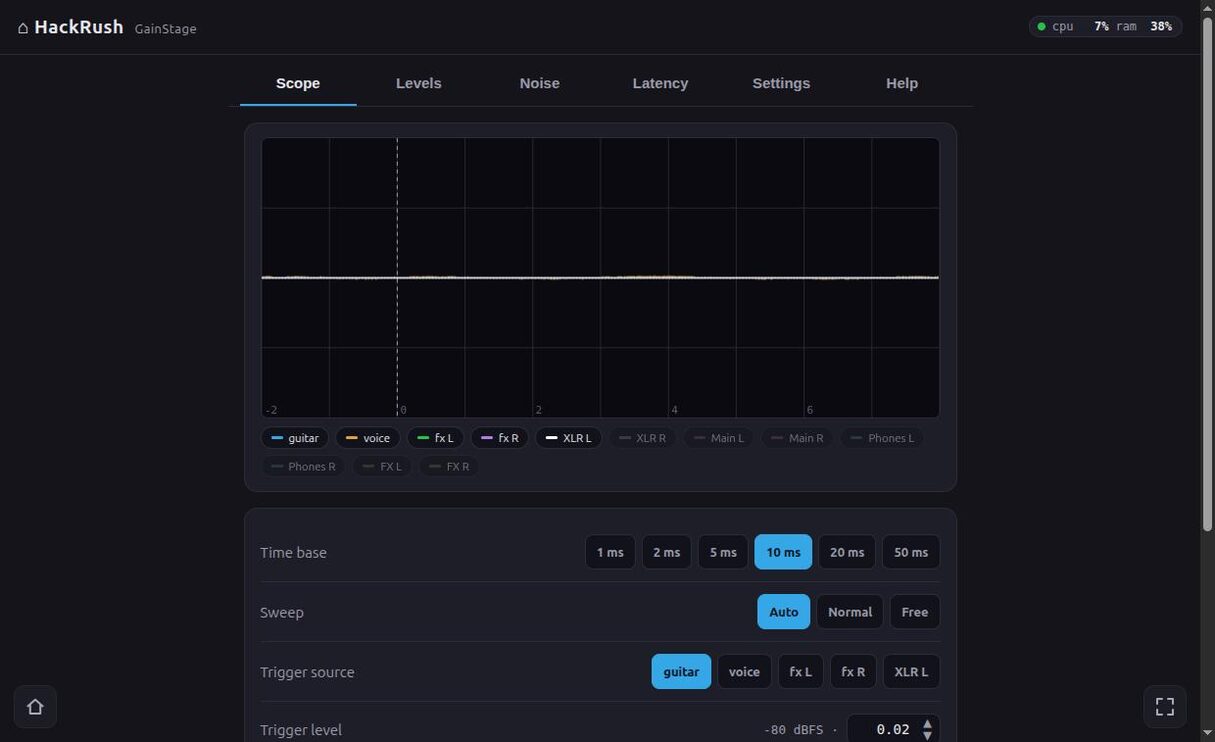
Level and headroom on every input and output, and what the noise under
them is: hum or hiss, with the frequency. Enough to tell a bad cable from
a gain setting.
Patch an output back into an input and it times the round trip,
jack to jack, and how much of it was the rig. The scope puts inputs
and outputs on one screen, so the delay is visible. Readings are in dBFS
until you give it one known level; then volts.
gainstage
GearShift
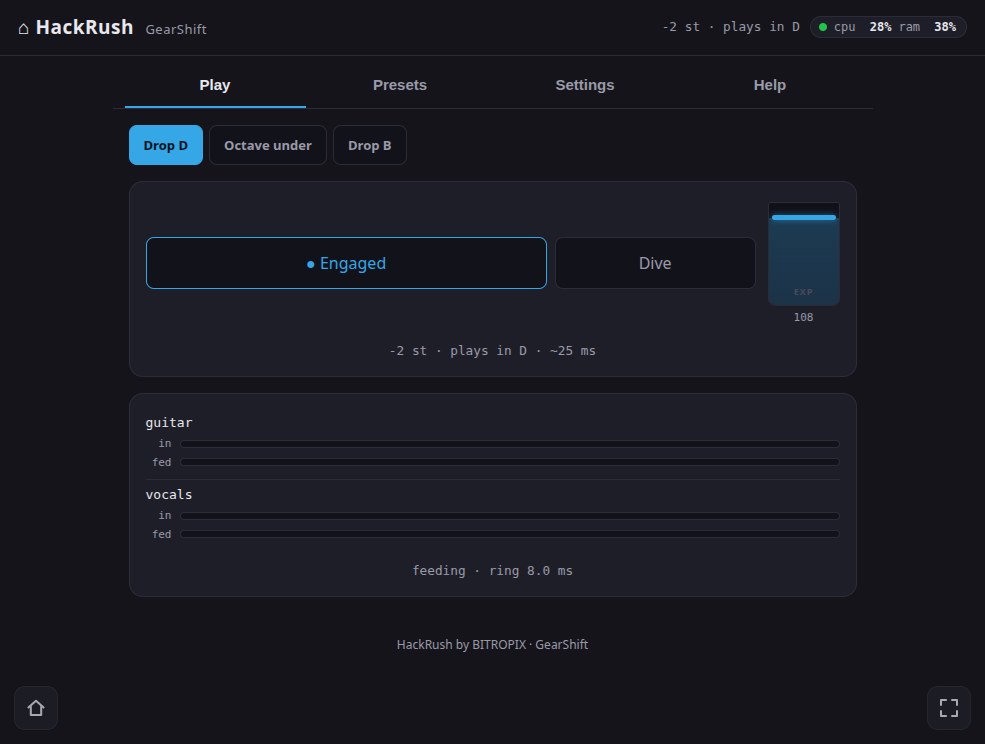
Play in standard tuning and let the rig hear drop C. GearShift replaces
the pedal's input, so the amp model is driven by the lower note itself -
its harmonics, its attack - and clips and compresses the way it would for
a guitar really tuned that way. It costs you no block: the shifting runs
on a processor core the audio engine is not using, so the rig stays free
for amps and cabs.
Set the interval with a slider, step it a semitone at a time with a
footswitch, or save it as a preset bound to a rig so the tuning follows
the song. An expression pedal bends it under your foot between any two
intervals, and Dive and Pull on two switches are a whammy
bar the guitar does not have - one bends down, one bends up, and pressing
one while the other is held sweeps through rather than jumping. Single notes and power chords are its ground; open chords
smear, and it says so rather than pretending.
gearshift
BootLeg
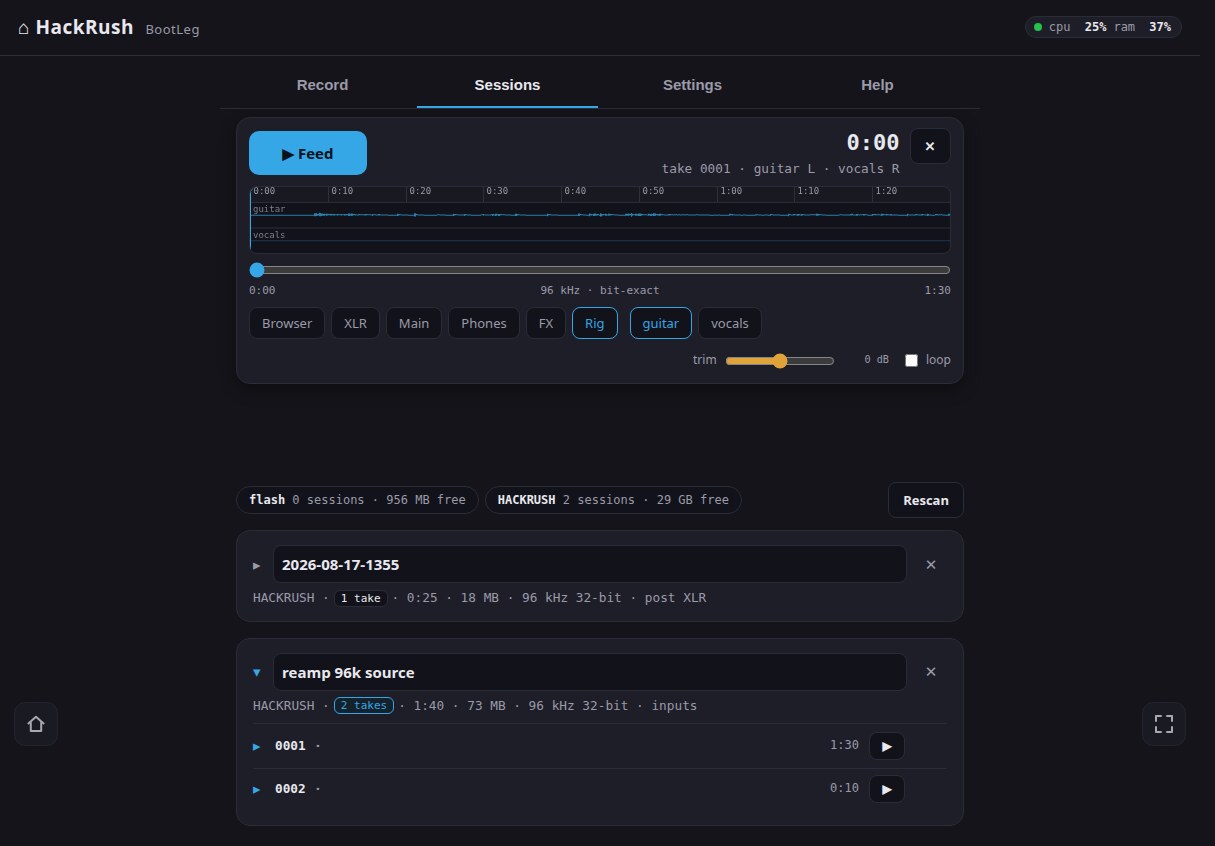
Press record at soundcheck and forget it is there. Every take is two
files, cut on the same frame: the two inputs dry, before the gate or the
amp model touch them, and an output pair - what the room heard, or the
rig on its own. Pause splices, split starts the next file without losing
a frame, and a footswitch runs the whole transport, so nobody stands at
a browser mid-set. The dry files are the point: open a take, pick
Rig as the sink, and last night's guitar plays back into
tonight's amp as if somebody were standing there playing it - at the
pedal's native 96 kHz, bit for bit. And because the file's header
is rewritten every couple of seconds, pulling the stick mid-take costs
you seconds, not the set.
bootleg
ShowOff
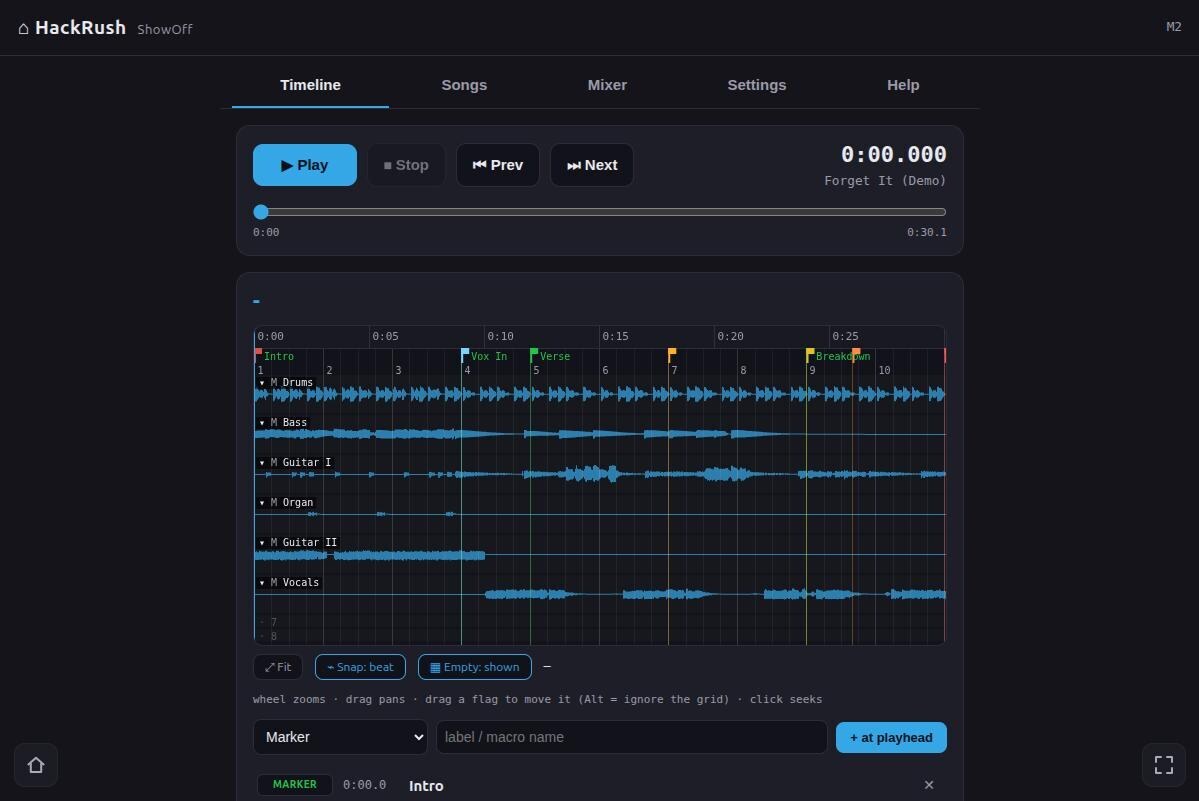
Up to eight tracks, streamed off the pedal and mixed into its own
outputs. Each track has its own send to each output, so front of house
gets the band and your in-ears get the click. Along the timeline you
drop events: markers, rig and scene changes, MIDI to whatever else is
on stage, fades, jumps, stops. Press play and the pedal plays the song
and reconfigures itself as it goes.
showoff
OctaStomp
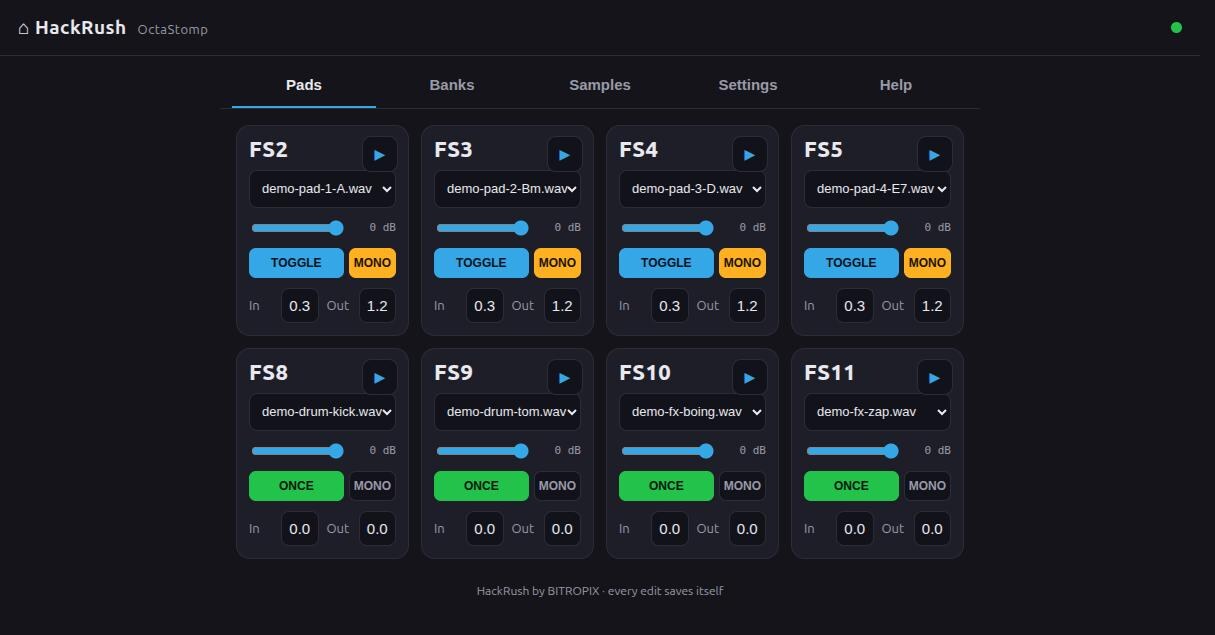
Eight pads under the footswitches, or fired by MIDI from anywhere.
Each pad takes a sample, a level, and a fade in and out, and plays it
either as a one-shot or as a toggle you leave running underneath you.
Group pads into banks and switch the whole set when you change rig -
the bank name is drawn on the pedal's own screen, so you can read it
standing up.
octastomp
EvilTwin
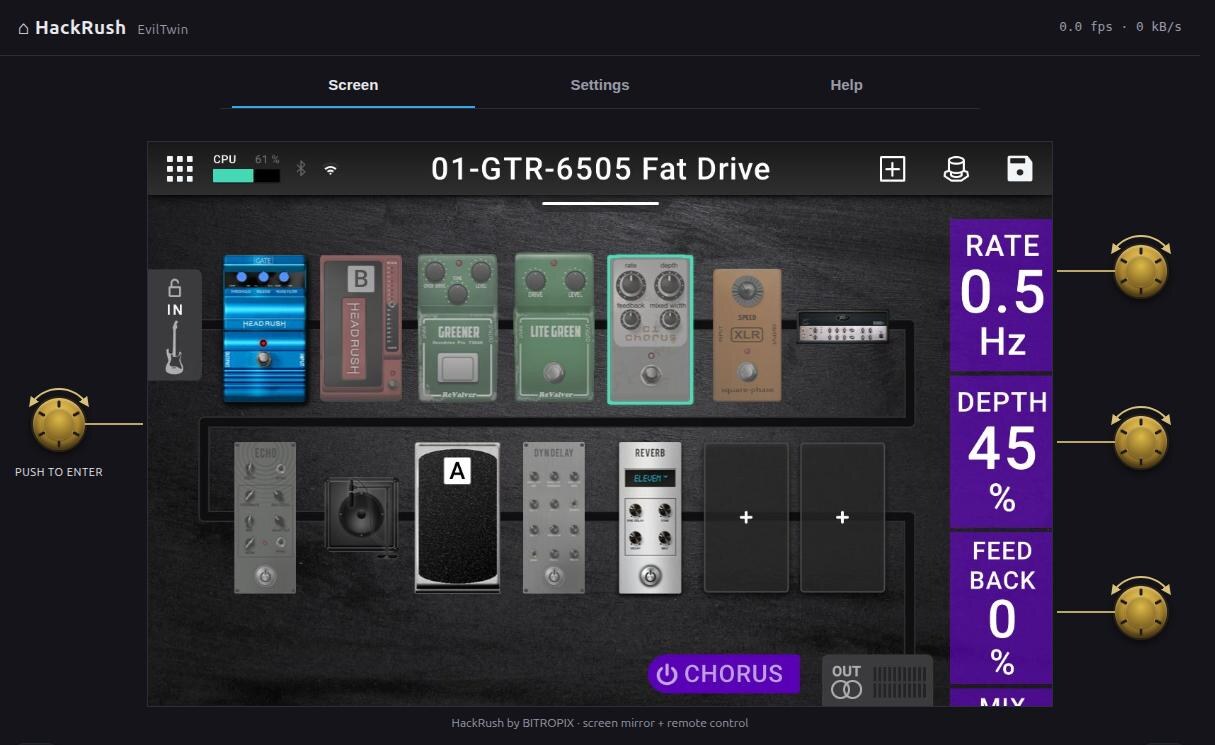
The pedal's screen, live in a browser, with your clicks going back
to it as touches and the four knobs drawn either side so you can turn
those too. Everything you would otherwise do crouched over the pedal,
done from a phone on a music stand - and it is the same screen, not a
second version of it that can disagree.
eviltwin
FreqOut
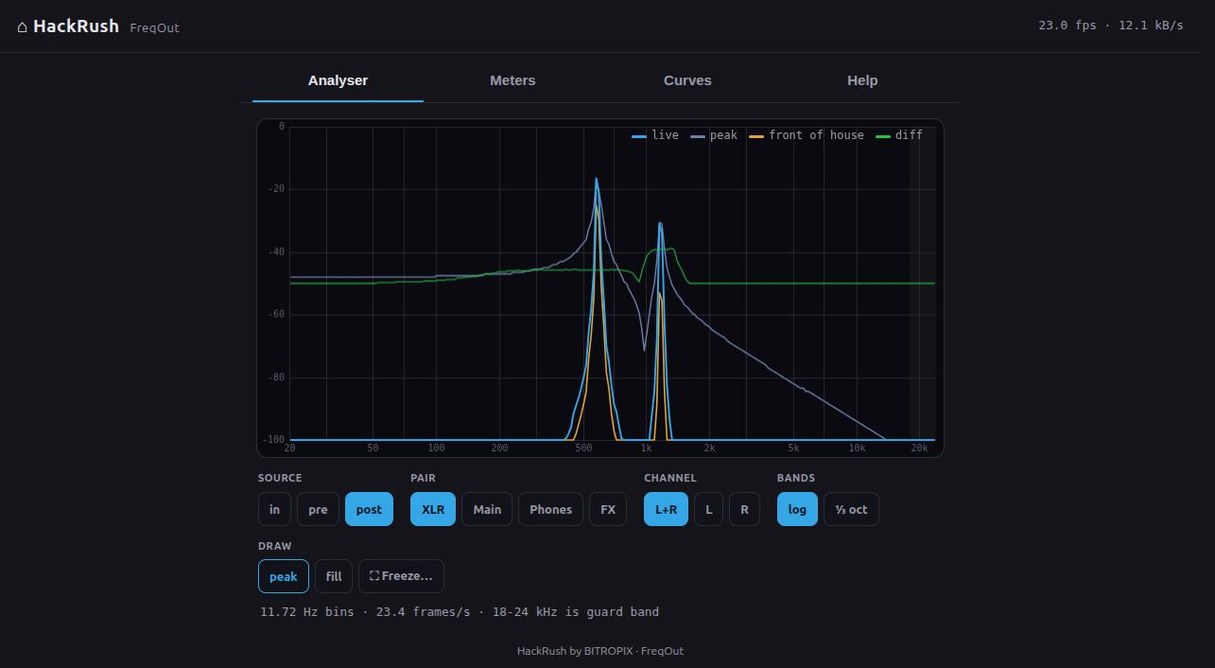
What is actually going through the pedal, drawn. Listen at either
input on its own, at the pedal's own output, or at what finally reached
the card. Peak
and RMS meters cover all four outputs, and a clip count stays up until
you clear it, so "was that the room or the rig?" gets an answer you can
point at. The spectrum reads as a smooth curve or in third-, sixth- or
twelfth-octave bands; slow the peaks down when they flicker past too
fast to read. Freeze the curve at soundcheck, play against it later,
and the difference is a third trace. The Axe-Fx III has an RTA block.
Now the HeadRush has one too.
freqout
PitchFork
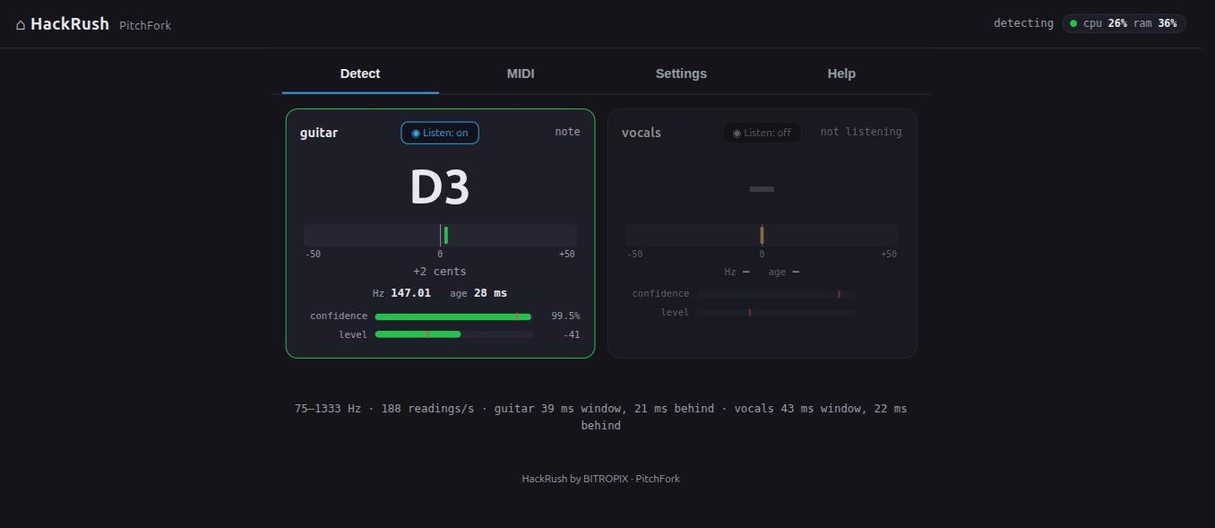
A pitch detector on each of the two inputs, reading the dry signal
before the gate, the amp model and the reverb ever touch it - the one
thing a box on the floor in front of you cannot do. Notes leave as MIDI
out the DIN jack and over USB, so the guitar plays something else; the
readings themselves go out over HTTP, so a fretboard or singing trainer
can be a web page rather than a second detector. It is blunt about its
limits: one note at a time, never a chord, and the delay is one
analysis window - 43 to 64 ms across the strings, or 21 ms
once you tell it you are not going below E3. All of it measured at the
pedal rather than estimated.
pitchfork
PatchWork
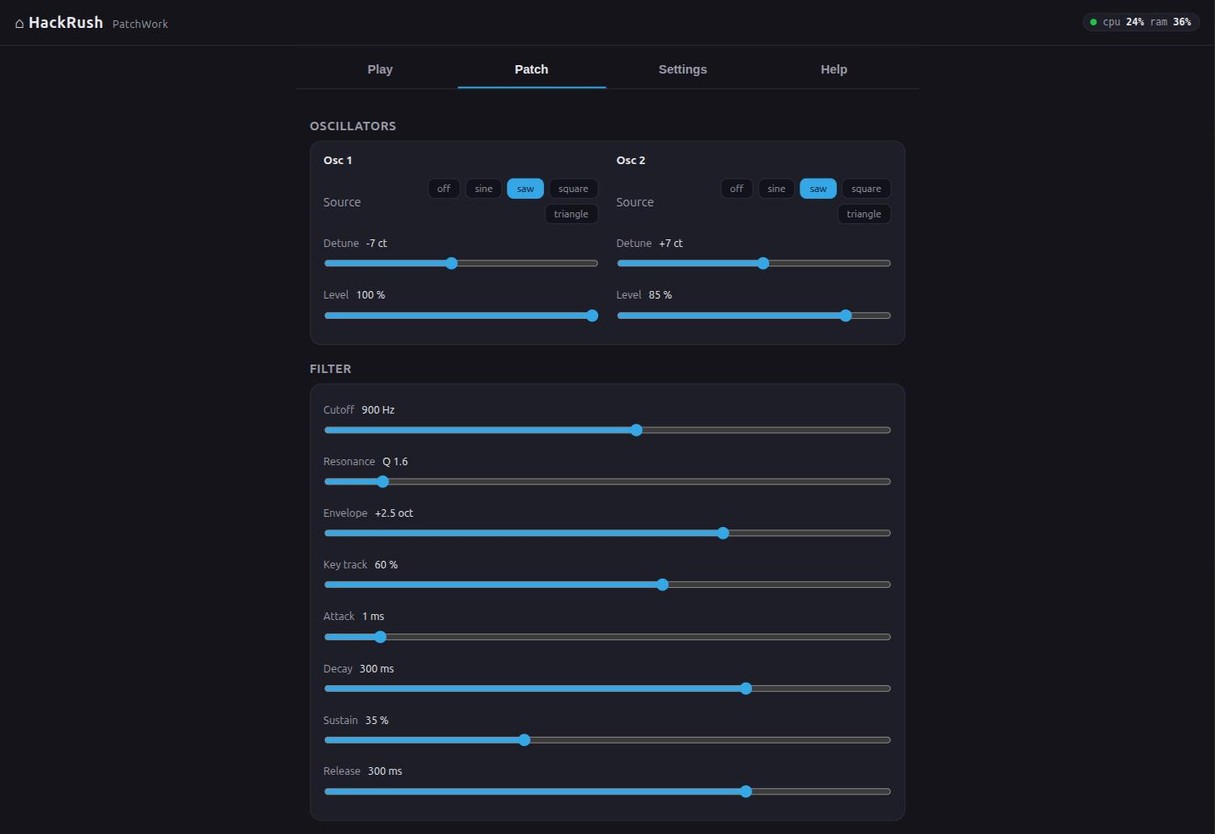
A synth voice inside the pedal, played by anything that sends it MIDI:
PitchFork's detected notes, a keyboard on the USB socket, your own
footswitches through FootLoose, or the keys on its own page. Two
oscillators with detune between them, an envelope on the amp and
another on the filter, and the whole voice saved as a patch by name.
Link a patch to a rig and switching rigs on the pedal recalls it, the
way OctaStomp's banks already work. It mixes into the pedal's own
outputs with everything else, so it needs no cable and no second box.
How far it renders ahead is a dial, because on a synth that distance
is added latency - 3 ms by default, with the underrun
counter sitting beside the dial rather than hidden.
It comes up bypassed, and that is worth saying out loud. A synth
wired to PitchFork will sing the moment you touch a string, so a pedal
that powered up already listening would answer your first note with a
sound you never asked for - which reads as broken hardware, not as a
setting you forgot. One button puts it in the chain; a patch can carry
its own engage, so linking one to a rig brings the synth in the instant
that rig lands. And a crash is not a power cycle: if the app restarts
mid-set it comes back exactly as you left it.
patchwork